Already a member? Click here to Login

Safety Notice: Handmade items made from this pattern may contain small parts or long cords that pose choking or strangulation risks. Not suitable for children under 3 years. Please see the full safety disclaimer at sewmag.co.uk/safety.
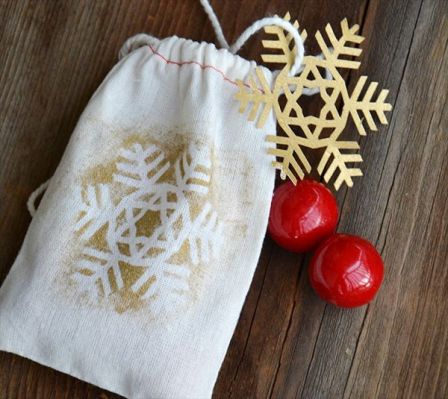
Making your own gift bags and wrapping adds an extra personal touch to your festive giving. This project makes a delicate snowflake stencil and tag, cut using the Cricut Explore Air and its online software, Design Space.
Snowflake Gift Bag
Make the drawstring bag from cotton or canvas fabric.
Connect the Cricut Explore Air™ to the pc/laptop/Mac/iPad/iPhone and log on to your Design Space™ account. From the ‘Christmas’ category in the Make It Now Projects, search for and select the ‘Snowflake Gift Bag’.


Cut the images from cardstock. You can move the position of the images on the preview mat to give more space around them so that they are easier to use as a stencil.
Carefully remove the images from the cutting mat. Carefully cut in between the snowflakes to create the stencils.

 Sign in with Facebook
 Sign in with Google